
📮 Everyday use
Everyday use
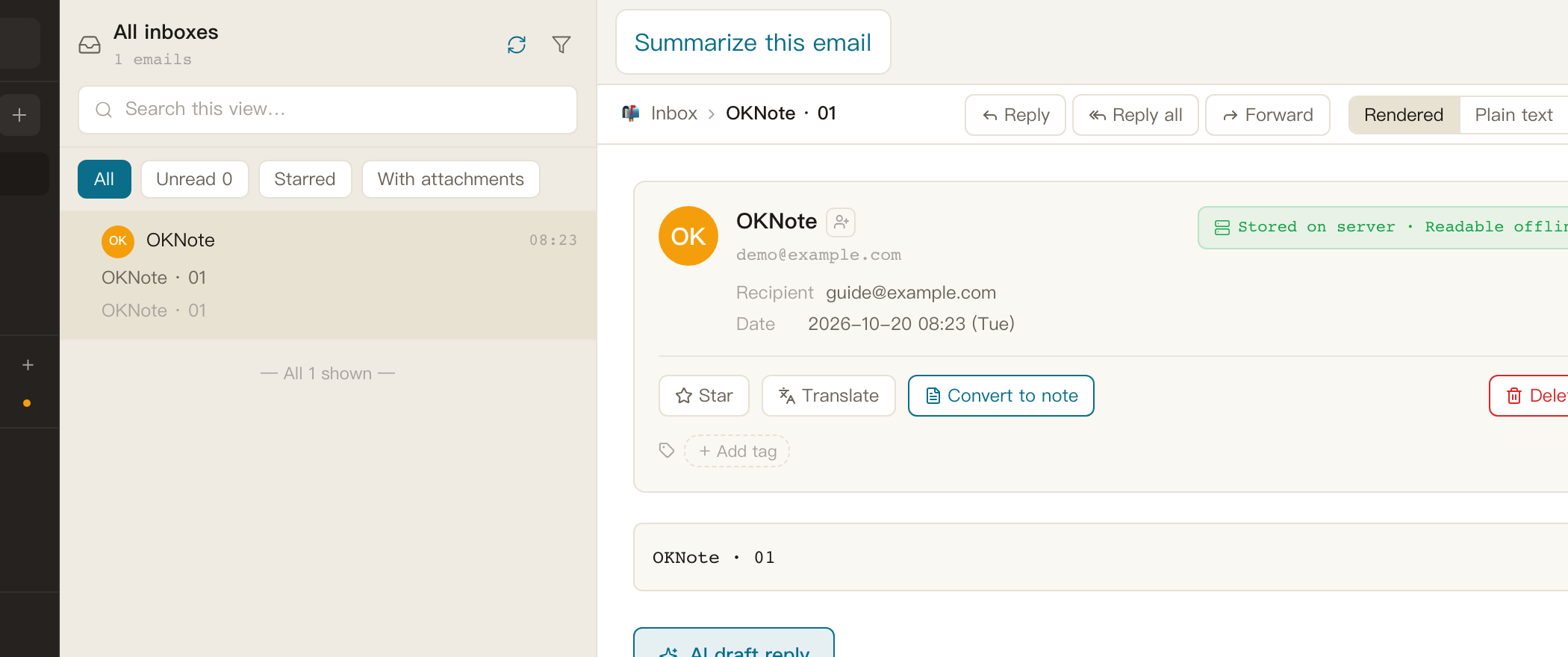
The layout is the classic three panes: sidebar (Inbox / Sent / Drafts / Starred, plus your accounts) → message list → reading pane.
- Receiving: mail from every account lands in the unified Inbox, each message carrying its account's color badge. Click "Sync now" next to an account in the sidebar, or let auto-sync do its thing (new mail plays a chime).
- Reading: switch the body between Rendered / Plain text / Raw views; attachment cards support preview and download.
- Reply / Reply all / Forward: the three buttons at the top of the reading pane. The reply editor is rich text and auto-saves a draft every 30 seconds. Cross-account reply is supported too — send under the identity of any other configured account.
- New mail: the "Compose" button in the sidebar, with To/Cc/Bcc, multiple attachments, and pasted images.
- Search: ⌘K for global search, or "Search this view" at the top of the list. The list can also filter by unread / starred / has attachments.
- Signatures: under "Signatures" at the bottom of the sidebar, create several and set a default — it's appended automatically when you reply.
- Tags: tag emails and browse by tag (separate from note tags).
- Trash: deleted mail is kept for 30 days and can be restored. "Delete mailbox" only removes the locally synced copies — the originals on your mail server are untouched.
- Export: "Export/import" in the sidebar backs up your mail as JSON.