🌐 Public access questions and troubleshooting
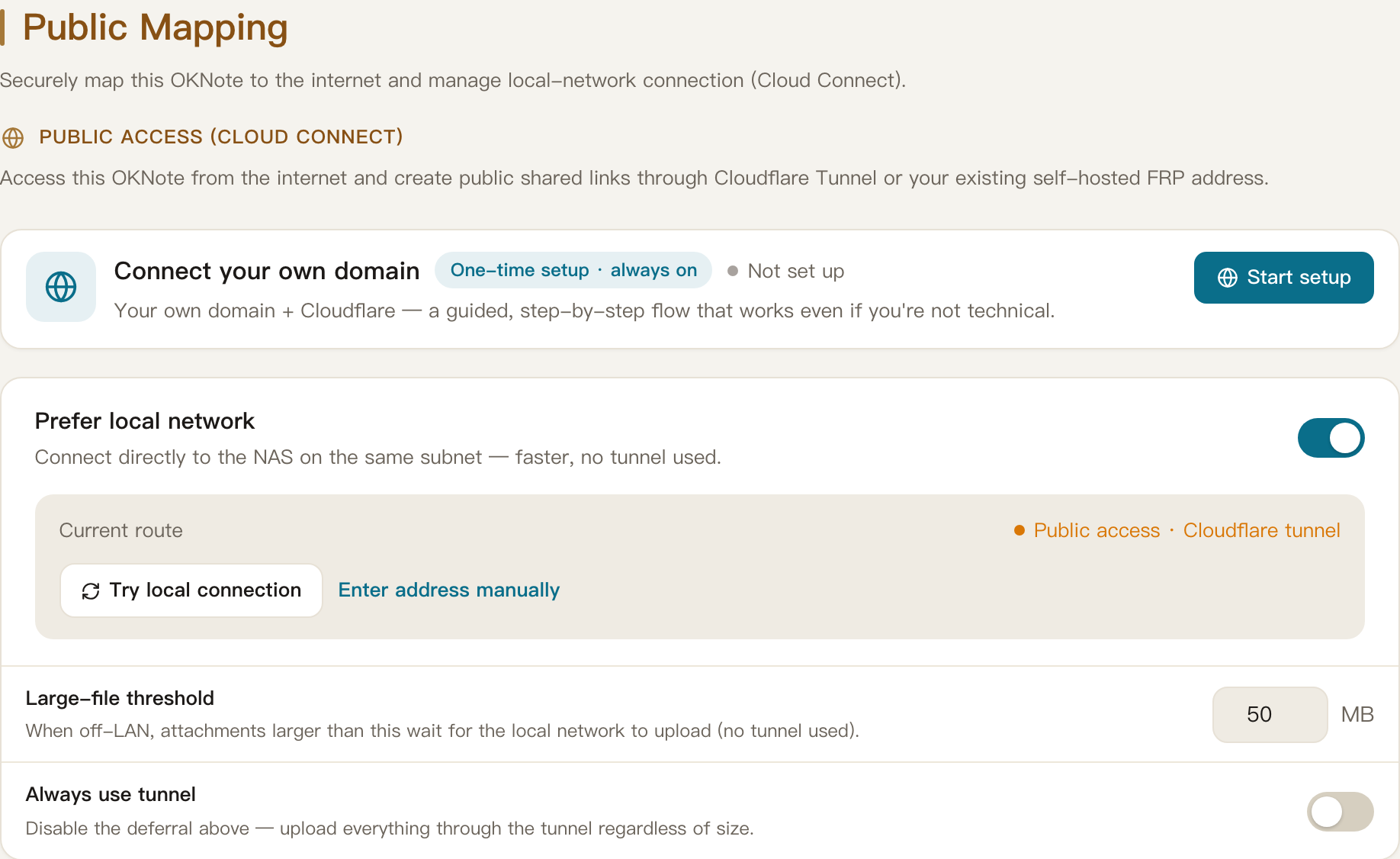
Where to configure
Settings → Public access. Record the error and time before changing settings.
- LAN access also fails: restore the NAS application/container and its port first, then retest remotely.
- DNS fails: verify the domain is Active in Cloudflare, its spelling and DNS record for the current tunnel.
- Token verification fails: check Account / Cloudflare Tunnel / Edit, Zone / DNS / Edit and Zone / Zone / Read, plus the account and zone scope.
- Cloudflare 1033: check for a healthy connector, server power, outbound network, DNS and firewall.
- Cloudflare 502: check the origin application, port and protocol from the connector's environment.
- Pages open but edits do not sync: check editor connection status and reverse proxy WebSocket support and timeouts.
- One client fails: compare its server address with the working browser; check certificate trust and client version.
See Cloudflare's tunnel troubleshooting. Share the client version, error code, time and redacted logs with your administrator; never send tokens, application passwords or API keys.
FAQ
- Do I really need a domain? Yes — bring-your-own-domain needs a domain of your own (a few dollars a year). That way the address is yours, clean and stable.
- Verification keeps failing? Check in order: ① all three permission rows in Step 3 are present and the group/item/level match; ② the domain is Active in Cloudflare; ③ no typos in the domain and the token was copied in full.
- Activated but won't open? DNS takes a little time to propagate right after you connect a domain; make sure the server itself is online with internet access (the server builds the tunnel outbound to Cloudflare).
- Change domain / turn it off? Go back to Settings → Public Mapping to reconfigure or disable public access.
📸 Cloudflare occasionally moves buttons around, but the core — "Create Custom Token" plus the three permission rows above — doesn't change. Trust the permission table and you'll be fine.